Modern Employee Attendance Software: A Practical Guide to Work Hours, Leave, and HR Records
Introduction
A smooth workday starts with clear attendance rules. Employees need a simple way to record their time. Managers need clear records to review daily activity. HR teams must also manage leave, holidays, and monthly reports.
Many businesses still handle these tasks with spreadsheets. As teams grow, this approach can take more time. Staff may miss entries, update the wrong file, or forget approval details.
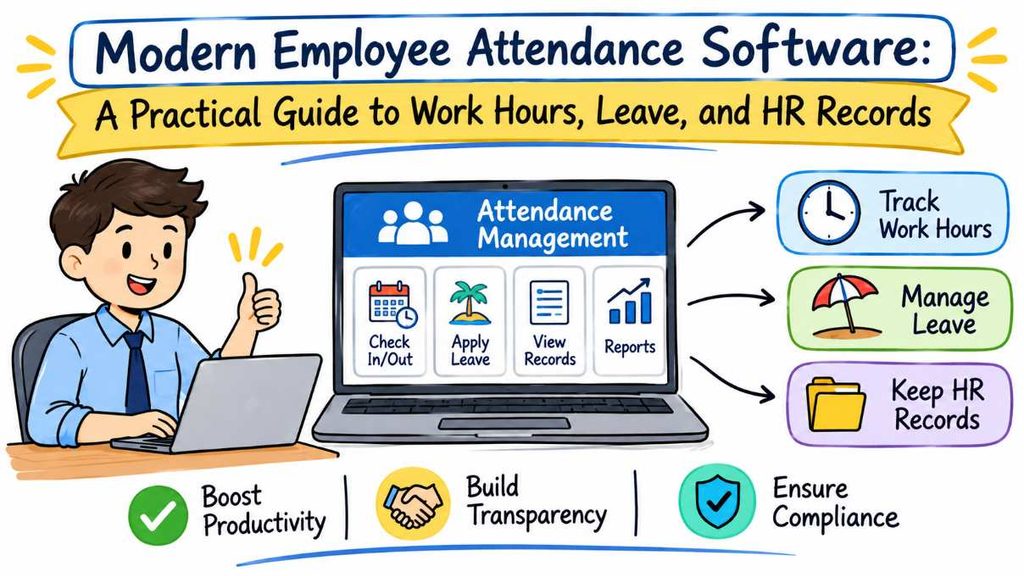
Employee attendance software gives businesses a central place for these tasks. It helps teams record work time, manage leave, and review employee records. It can also help HR teams prepare attendance data for payroll.
Let’s explore how these systems work and what businesses should consider before choosing one.
The Daily Challenges Behind Employee Attendance
Attendance management involves more than checking who comes to work. HR teams must maintain records throughout the month. They also need to handle leave requests and correct missing entries.
A manual process can create problems when several people manage the same records. One team may update a spreadsheet while another uses an older copy. Managers may also approve leave through separate emails or messages.
These gaps can lead to:
- Missing check-in and check-out entries.
- Incorrect attendance totals.
- Delayed leave approvals.
- Confusing holiday records.
- Repeated spreadsheet updates.
- Unclear attendance corrections.
- Extra work during monthly reporting.
A central attendance process helps teams manage these tasks more clearly. It gives employees and managers a common place to check relevant records.
How Employee Attendance Software Works
Employee attendance software helps companies record and manage work time. Employees can use a browser-based platform to mark attendance. The system stores timestamps through its server.
HR teams can review these entries and check attendance activity. They can also manage leave policies and holiday calendars when the platform supports those features.
Managers can review employee leave requests. They can approve or reject requests based on company rules. HR teams can then use the records for monthly reviews.
A typical attendance process follows these steps:
- An employee opens the attendance platform.
- The employee records a check-in or check-out.
- The system stores the timestamp.
- HR staff review attendance records.
- Employees report missing or incorrect entries.
- Authorized staff review correction requests.
- Managers handle leave approvals.
- HR teams prepare monthly attendance summaries.
This process gives businesses a clearer way to manage attendance information.
Features That Help HR Teams Manage Work Time
Not every company needs the same attendance features. However, some tools support the main tasks that most HR teams handle.
Browser-Based Attendance Entry
Employees can record attendance through a web browser. This gives them a digital option instead of paper registers.
The system can store server-verified timestamps. HR teams can use these records to review attendance activity.
Check-In and Check-Out Records
The platform can record when employees start and finish work. Managers can review these entries during attendance checks.
These records can also help teams find missing entries. Employees can then follow the company’s correction process.
Daily Attendance Overview
HR staff need a clear view of daily attendance. A system can organize employee entries for easier review.
Teams can check present records, absences, and missing details. Managers can follow up when they notice unusual entries.
Attendance Corrections
Employees may forget to mark attendance. They may also enter an incorrect time.
A correction process gives employees a way to report these problems. Authorized staff can review each request before changing a record. Versioned records can help teams track updates.
Monthly Attendance Summaries
Monthly summaries help HR teams review employee attendance. They can check working days, absences, and approved leave.
These reports can also support payroll preparation. HR staff should check the details before sharing any export.
Making Employee Leave Easier to Manage
Leave management can involve several steps. Employees submit requests, managers review them, and HR teams update records.
A scattered process can make it difficult to check request status. A central system helps keep leave information together.
Employees can submit requests through the platform. Managers can review the dates and request details. HR teams can then check approved leave during monthly reviews.
Depending on the software, HR teams may configure:
- Full-day paid time off.
- Half-day leave.
- Leave allowances.
- Accrual rules.
- Carry-forward limits.
- Leave expiry settings.
- Holiday exclusions.
- Manager approval workflows.
Businesses should set these rules according to their own policies. HR teams should also explain the rules before employees start using the system.
Comparing Paper Records, Spreadsheets, and Digital Tools
Each attendance method has different strengths. A paper register may suit a very small team. A spreadsheet can help with basic record keeping. A digital platform can bring more attendance tasks together.
| Work Area | Paper Register | Spreadsheet | Digital Platform |
|---|---|---|---|
| Attendance entry | Handwritten | Manual entry | Browser-based entry |
| Time records | Manual checks | Entered data | Server-verified timestamps |
| Leave requests | Paper forms | Separate files | Central request process |
| Approvals | Signatures | Emails or messages | Recorded approval steps |
| Corrections | Manual changes | Edited cells | Versioned records |
| Monthly reports | Manual review | Formulas | Organized summaries |
The best choice depends on team size and business needs. Companies should focus on accuracy, ease of use, and the time required to manage records.
Turning Attendance Data Into Useful Payroll Records
Attendance information can help payroll teams prepare monthly data. It may show working days, absences, approved leave, and attendance corrections.
HR teams can review these details before sharing them with payroll staff. This gives the payroll team a clearer record to check.
Some attendance platforms support CSV and PDF exports. These files can help teams move attendance information into an external payroll process.
However, attendance tracking and payroll processing are different tasks. An attendance platform may not calculate salaries or process payments. Businesses should check the exact product features.
| Attendance Information | Payroll Preparation Use |
|---|---|
| Recorded workdays | Helps review employee work time |
| Absence details | Shows days without attendance |
| Approved leave | Confirms accepted time off |
| Half-day leave | Supports leave record checks |
| Attendance corrections | Shows updated entries |
| Monthly summaries | Helps organize payroll data |
HR teams should review exported files before sharing them. They should also check whether the file includes the fields their payroll process needs.
Understanding Office IP-Based Attendance Controls
Some businesses want employees to record attendance through an approved office network. IP restrictions can help support this type of access rule.
A company may allow attendance entry only from selected network addresses. This can limit access through other networks.
However, an IP restriction does not prove an employee’s physical location. It checks the network address used to access the system.
Businesses should understand this difference before using IP controls. They should also explain the access policy to employees.
A clear policy should cover:
- Approved networks for attendance entry.
- Steps for reporting access problems.
- The process for missed attendance entries.
- People who can approve corrections.
- Rules for reviewing unusual records.
These details help employees understand the attendance process.
Business Benefits of a Well-Managed Attendance System
A digital attendance system can support daily HR work. It can also reduce repeated tasks when teams manage records regularly.
Less manual administration: HR staff can reduce repeated spreadsheet updates.
Consistent time records: Server-verified timestamps help maintain clear attendance entries.
Simpler leave requests: Employees can submit requests through one platform.
Clear approval records: Managers can review and approve requests through a defined process.
Organized employee information: HR teams can manage attendance and leave records together.
Easier monthly reviews: Attendance summaries help teams check employee records.
Useful file exports: CSV and PDF reports can support external payroll work.
Traceable corrections: Versioned records help teams review attendance changes.
A system works best when employees understand how to use it. HR teams should also review records and update policies when needed.
Mistakes That Can Weaken an Attendance Process
Even useful software can create confusion when teams set it up poorly. Businesses should plan the process before asking employees to use the platform.
Avoid these common mistakes:
- Setting unclear attendance rules.
- Leaving old holiday dates in the calendar.
- Ignoring missing check-in or check-out entries.
- Delaying leave request reviews.
- Allowing changes without approval.
- Sharing reports without checking their details.
- Treating IP restrictions as proof of physical location.
- Assuming attendance software processes salaries.
- Failing to explain leave allowances.
- Skipping monthly attendance checks.
HR teams should review these points regularly. Managers should follow the same approval rules across departments.
A Practical Checklist for Choosing Attendance Software
The right platform should match the company’s daily needs. Businesses should compare features carefully before making a decision.
Attendance Recording
Check how employees record their work time. Confirm whether the system supports browser-based entries and server-verified timestamps.
Leave Policy Settings
Review the available leave options. Check full-day and half-day requests, accrual, carry-forward, expiry, and holiday exclusions.
Manager Approvals
Find out how managers review leave requests. Check who can approve attendance corrections and update records.
Reporting and Exports
Review the monthly attendance summaries. Confirm whether the platform offers CSV and PDF exports.
Access Restrictions
If the company needs office IP controls, check how they work. Understand their limits before adding them to attendance policy.
Ease of Use
Employees should find attendance entry simple. Managers should also find request reviews easy to complete.
Record Management
Ask how the platform stores attendance information. Review user permissions and correction history options.
Pricing and Support
Compare available plans and support services. Check whether the provider offers clear setup guidance.
A product walkthrough can help businesses test the main features. HR teams should include managers and employees in the review.
Building a Reliable Attendance Process From Day One
Software alone cannot create a good attendance process. Businesses need clear policies and a simple setup plan.
Use these steps to prepare the system:
- Add employee details to the platform.
- Define work schedules and attendance rules.
- Set up company holidays.
- Configure leave types and allowances.
- Assign managers for leave approvals.
- Explain attendance entry steps.
- Define how employees report missed entries.
- Set rules for attendance corrections.
- Train HR staff and managers.
- Review monthly reports before exporting them.
HR teams should update the settings when company rules change. Regular checks can help keep attendance information clear and useful.
Frequently Asked Questions
What Is an Employee Attendance Management System?
An employee attendance management system helps businesses track work time and related records. Employees can record attendance through a digital platform. HR teams can review check-in and check-out entries, absences, and leave details. Some systems also offer approval workflows, correction history, and monthly reports. These tools help companies organize attendance information.
Can Employees Mark Attendance Through a Web Browser?
Yes, browser-based attendance systems let employees record their work time online. The platform stores timestamps through its server. HR teams can review these entries later. This approach reduces the need for handwritten registers. Businesses should explain the attendance rules before employees begin using the platform.
Does Attendance Software Include Leave Management?
Many attendance platforms include leave management features. Employees can submit leave requests online. Managers can review and approve those requests. HR teams can configure leave allowances and related rules. Depending on the platform, options may include half-day leave, accrual, carry-forward, expiry, and holiday exclusions.
Can Employees Request Half-Day Leave?
Some platforms support both full-day and half-day leave requests. Employees can choose the required option when they submit a request. Managers can review the details before making a decision. HR teams can then maintain the approved leave records. Businesses should confirm that the software supports their leave policies.
How Can HR Teams Handle Missed Attendance Entries?
HR teams can follow a defined correction process. Employees can report missing or incorrect entries through the system. Authorized staff can review the request before changing the record. Versioned records may help track updates. Businesses should clearly define who can request and approve corrections.
Can Attendance Software Create Monthly Summaries?
Many systems can prepare monthly attendance summaries. These reports may include workdays, absences, approved leave, and corrections. HR teams can use them during monthly reviews. Some platforms also support CSV and PDF exports. Businesses should check which report fields the system provides.
Do IP Restrictions Confirm an Employee’s Location?
No, IP restrictions do not confirm an employee’s exact physical location. They check the network address used to access the platform. Businesses can use this feature to limit attendance entry to approved networks. However, they should not treat an IP address as proof of physical presence.
Can Attendance Reports Help Payroll Teams?
Yes, attendance reports can support payroll preparation. They may contain workdays, absences, approved leave, and correction details. HR teams can export records when the platform supports CSV or PDF files. Payroll staff can review these files in their external process. Businesses should check all information before sharing it.
Does Attendance Software Automatically Calculate Salaries?
Not every attendance platform includes salary calculations. Many systems focus on attendance, leave, and reporting. Payroll teams may use exported attendance records with separate payroll software. Some products may offer additional payroll features. Businesses should confirm the available functions before choosing a platform.
Is Attendance Software Useful for Small Businesses?
Yes, small businesses can use attendance software to organize employee records. It can reduce manual updates and simplify leave requests. Managers can review attendance information through one platform. Small businesses should choose features that suit their team size and work process.
Which Features Should Companies Compare Before Buying?
Companies should compare attendance tracking, leave settings, and approval workflows. They should also check correction history and report exports. Ease of use matters for employees and managers. Data handling and access controls also deserve attention. A product walkthrough can help teams test these features before making a choice.
How Often Should a Business Review Attendance Records?
Businesses should review attendance records regularly. Daily checks can help identify missing entries and unusual activity. Monthly reviews can confirm attendance totals and approved leave. HR teams should correct errors before sharing reports with payroll staff. A fixed review schedule helps maintain clear employee records.
Final Thoughts
Reliable attendance records help businesses manage their people and daily work. A manual process may become harder as employee numbers grow. Digital attendance software gives HR teams a central way to track work time and leave. It can support browser-based entries, server-verified timestamps, approvals, and monthly summaries. Some platforms also provide correction history and CSV or PDF exports. Businesses should compare these features with their needs before choosing a system. Clear policies and regular checks remain important. Companies exploring a digital approach can consider InOrOff. A suitable platform can help HR teams reduce routine work and maintain better attendance records.
Leave a Reply